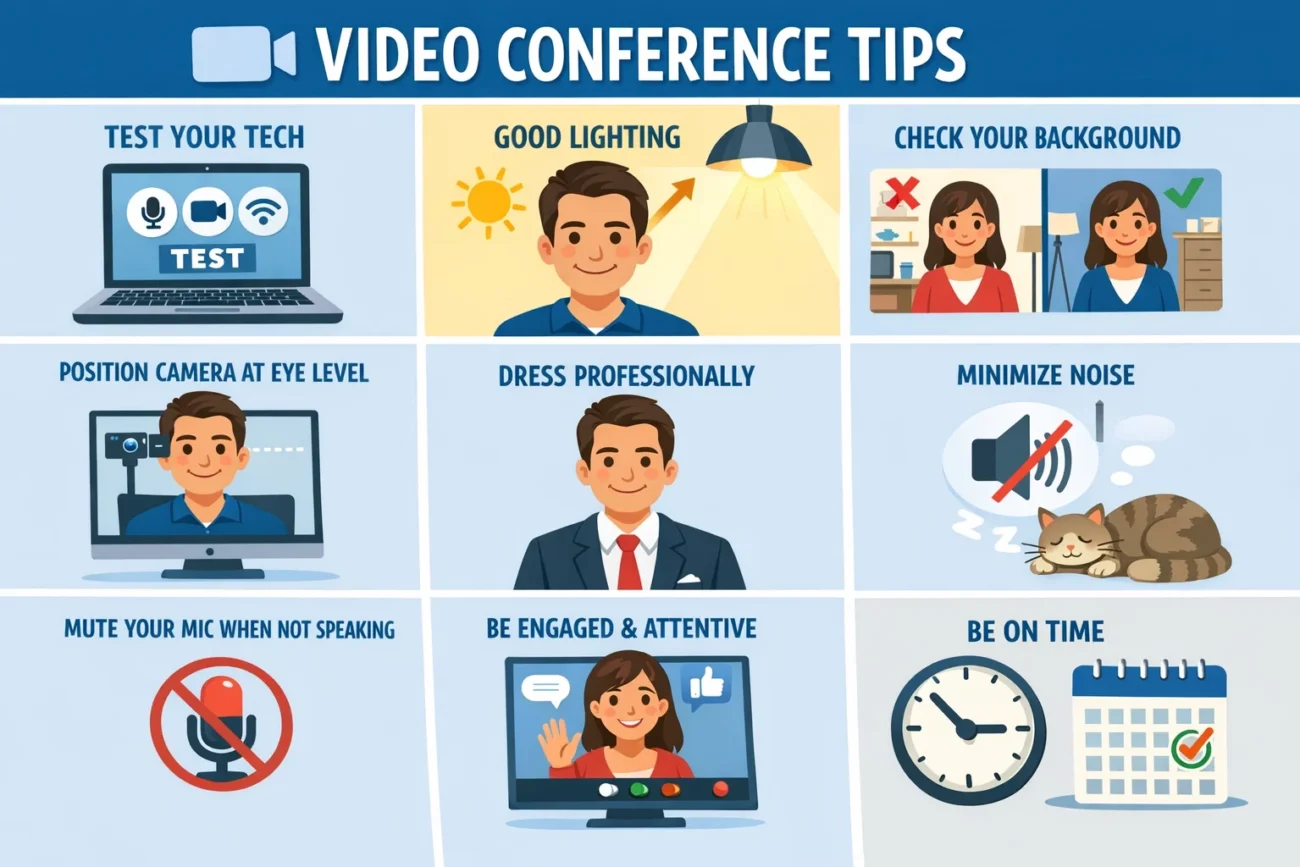
In today’s increasingly digital world, remote work and virtual meetings have become a core part of professional communication. With employees, clients, and partners often scattered across the globe, understanding effective video conference tips is more important than ever. A video conference is not just about logging onto a platform; it’s about clear communication, professional presence, and achieving meeting objectives efficiently. Following practical tips can make the difference between a productive meeting and one filled with distractions, technical glitches, or miscommunication.
Choosing the Right Technology and Platform
One of the foundational video conference tips is selecting the right technology and platform. Whether using Zoom, Microsoft Teams, Google Meet, or other tools, ensuring compatibility with your devices and meeting requirements is essential. High-quality video and audio capabilities, screen-sharing options, recording functionalities, and chat integration are key features to consider. Using outdated or poorly supported platforms can hinder communication, reduce engagement, and create unnecessary technical issues.
Testing your technology before a scheduled meeting is crucial. This includes verifying your internet connection speed, microphone clarity, and camera resolution. Reliable technology enables smoother communication, ensures participants can engage effectively, and minimizes disruptions during critical discussions.
Setting Up a Professional Background
Your background plays a significant role in virtual meetings. An organized and visually clean background communicates professionalism, while cluttered or distracting environments can reduce your credibility. For this reason, one of the most effective video conference tips is to maintain a neutral or tidy backdrop. This can be achieved with a plain wall, a bookshelf, or a virtual background that matches your professional tone.
Lighting is also a critical aspect of your visual setup. Natural light or a well-positioned lamp can enhance your appearance, preventing shadows that make you look less engaged or difficult to see. Positioning yourself facing the light source, rather than having it behind you, ensures your face is clear and expressive for all participants.
Dressing Appropriately for Video Conferences
Even in a virtual setting, first impressions matter. Dressing appropriately is a key video conference tip that influences how colleagues and clients perceive you. While casual attire may be acceptable in some work cultures, dressing in smart-casual or professional attire signals respect for the meeting and its participants. This can positively affect engagement, authority, and overall meeting dynamics.
Wearing solid colors or avoiding overly busy patterns ensures that the camera captures you clearly, reducing visual distractions. Accessories should be minimal to keep the focus on your face and your communication.
Mastering Eye Contact and Body Language
Nonverbal communication is essential in video conferencing. Maintaining eye contact by looking into the camera, rather than at your screen, creates a sense of connection and attentiveness. This is one of the most impactful video conference tips for fostering engagement and demonstrating active listening.
Posture also communicates professionalism. Sitting upright, leaning slightly forward, and using hand gestures thoughtfully can enhance your clarity and presence. Avoid multitasking, as glancing away from the camera or checking your phone can appear disengaged.
Effective Use of Audio and Microphone Settings
Clear audio is vital for productive meetings. Background noise, echoes, or inconsistent volume levels can distract participants and reduce understanding. Using a quality headset or microphone is one of the key video conference tips that ensures your voice is transmitted clearly.
Muting yourself when not speaking is another practical technique. It prevents unwanted noise from interrupting the discussion and allows the speaker to communicate without distractions. Testing your microphone and audio settings before the meeting ensures that all participants hear and understand you properly.
Agenda Preparation and Time Management
A well-structured meeting agenda is a cornerstone of successful video conferencing. Sharing the agenda ahead of time helps participants prepare, contributes to focused discussions, and ensures that the meeting achieves its intended goals. Among the most effective video conference tips is allocating specific time slots for each topic, avoiding overruns, and sticking to a defined schedule.
Time management also includes starting and ending the meeting punctually. Being mindful of participants’ schedules demonstrates professionalism and respect, which in turn enhances engagement and collaboration.
Engaging Participants and Encouraging Interaction
Active participation is essential in virtual meetings. One of the top video conference tips is to involve participants through questions, polls, or interactive features like chat, reactions, or breakout rooms. Encouraging discussion keeps attendees engaged and ensures diverse perspectives are included.
Moderating the conversation is also critical. Facilitators should guide the discussion, allow for turn-taking, and manage dominant voices while ensuring quieter participants have the opportunity to contribute. This approach fosters collaboration, innovation, and a sense of inclusion among attendees.
Screen Sharing and Visual Aids
Visual aids enhance understanding and retention in virtual meetings. Screen sharing, slides, charts, or videos are practical tools that support your points. One of the most effective video conference tips is to ensure that all visuals are clear, concise, and relevant to the discussion. Overloaded slides or poorly designed graphics can confuse participants and reduce the impact of your message.
Rehearsing screen-sharing transitions and knowing how to navigate between applications prevents delays and technical hiccups, contributing to a seamless and professional presentation.
Managing Technical Issues Proactively
Even with careful preparation, technical issues can arise. One of the most practical video conference tips is to have a backup plan. This could include alternative platforms, pre-saved presentation files, or a secondary internet connection. Anticipating potential problems and preparing solutions ensures that your meeting continues smoothly, minimizing disruptions and frustration.
Assigning a co-host or technical support person can also help manage unexpected challenges, such as troubleshooting participant connectivity or audio problems.
Recording and Follow-Up Strategies
Recording video conferences is beneficial for participants who cannot attend live, as well as for post-meeting review. Among the most valuable video conference tips is to inform participants in advance if a meeting will be recorded, adhering to privacy considerations.
Follow-up strategies are equally important. Sharing meeting notes, action items, and deadlines reinforces accountability and ensures that decisions made during the conference are implemented. This practice increases productivity and allows participants to refer back to the discussion as needed.
Optimizing Meeting Duration and Frequency
Long, drawn-out virtual meetings often lead to disengagement. Keeping meetings concise and focused is one of the most effective video conference tips for maintaining attention and energy levels. Limiting meetings to 30–60 minutes and using shorter check-ins for status updates helps participants stay focused and retain information.
Similarly, over-scheduling video conferences can lead to “Zoom fatigue.” Strategically planning meeting frequency ensures that team members have adequate time for deep work while still maintaining communication and collaboration.
Promoting Inclusivity and Accessibility
Virtual meetings should be accessible to all participants. This includes providing captions, ensuring screen-reader compatibility, and accommodating different time zones. One of the most important video conference tips is to create an inclusive environment where all participants feel comfortable contributing.
Being mindful of cultural differences, communication styles, and potential technical limitations allows teams to collaborate effectively and build stronger professional relationships.
Creating an Agenda That Drives Results
An agenda is more than a list of topics—it’s a roadmap for meeting success. One of the most essential video conference tips is to outline objectives clearly and assign time limits for each discussion point. Including estimated durations keeps the meeting focused and prevents overruns.
Advanced agendas might also assign ownership for each topic. For instance, a sales update could be led by the account manager, while a project milestone discussion is facilitated by the team lead. This ensures accountability, encourages preparation, and improves the quality of discussions.
Maintaining Professional Etiquette
Professionalism extends beyond appearance and technology. Practicing virtual etiquette is essential for smooth communication. Key video conference tips include introducing yourself at the beginning, avoiding interruptions, acknowledging contributions, and being concise in your comments.
Respectful communication fosters trust, minimizes misunderstandings, and enhances the overall productivity of video conferences. Participants are more likely to engage when they feel valued and heard.
Leveraging Body Language for Virtual Communication
Even in virtual meetings, body language plays a significant role in conveying confidence and engagement. Among the most overlooked video conference tips is the use of gestures and facial expressions to enhance your verbal message. Nodding, smiling, and using hand movements while explaining a point helps participants feel connected and signals attentiveness.
For example, during client presentations, maintaining an open posture and leaning slightly forward shows interest and professionalism. Conversely, slouching or avoiding eye contact can unintentionally convey disinterest. Advanced participants can even mirror body language cues of other attendees to build rapport, a subtle technique that improves engagement and communication effectiveness.
Enhancing Engagement with Interactive Tools
Many video conferencing platforms offer interactive tools that make meetings more engaging. Utilizing polls, breakout rooms, whiteboards, and reaction emojis is one of the best video conference tips for keeping participants involved. Interactive elements encourage collaboration, spark creativity, and allow attendees to contribute in real time, creating a dynamic and productive virtual environment.
Conclusion
Mastering virtual meetings requires more than simply logging on—it demands preparation, professionalism, and the effective use of technology. Incorporating these video conference tips can transform meetings from mundane check-ins to productive, engaging, and collaborative sessions. From selecting the right platform to managing technical issues, maintaining professional appearance, and encouraging active participation, each tip contributes to a seamless and effective meeting experience.
By integrating these strategies into your routine, you can maximize the impact of your video conferences, build stronger professional relationships, and achieve organizational objectives more efficiently. Whether for internal team collaboration, client presentations, or large-scale webinars, these video conference tips provide a roadmap to virtual success.
You May Also Read Here: ceiling fan direction
